

- Payment: Wait for a payment to succeed before sending a receipt.
- Adoption: Wait for a user to complete an action to unlock a feature.
- Verification: Wait for the user to verify their email before continuing.
How it works
- Using the dashboard
- Using the API
Add a Wait for event step and configure the event to wait for.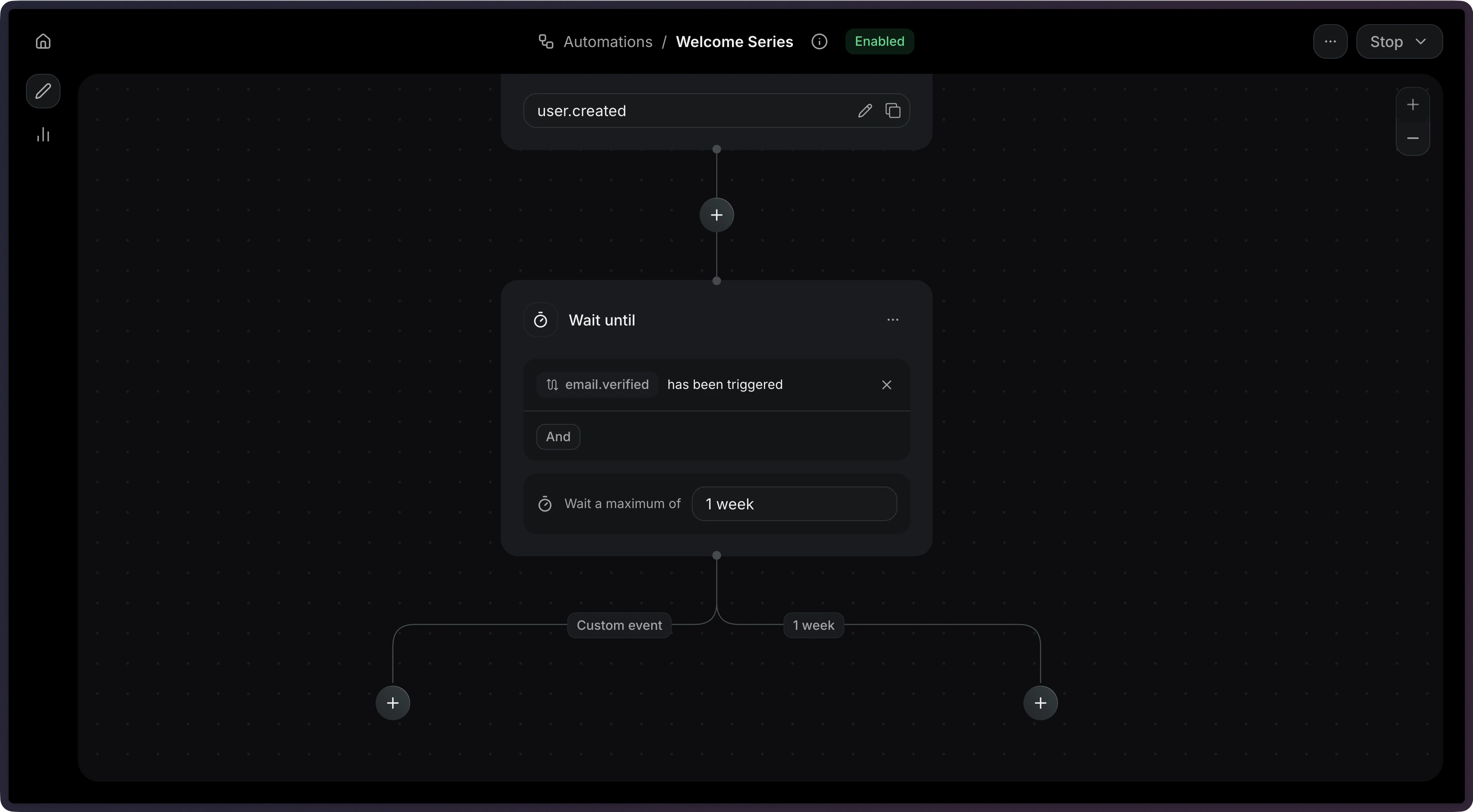
Timeouts
When you set atimeout, the step will stop waiting after that duration. This prevents Automations from waiting indefinitely.
When a wait-until step times out, it produces two possible connection types:
You can create different paths depending on whether the user took action within an given time period.
The maximum timeout is 30 days.
Filter rules
Usefilter_rule to match events that meet only specific criteria. This is useful when the same event name might be sent with different payloads.
For example, to wait specifically for a successful payment:
Configuration
The name of the event to wait for.
The maximum time to wait before timing out (e.g.
"3 days", "1 hour").
Maximum: 30 days.An optional rule object to filter incoming events.
Example